



How does a Minecraft crossplay server work?
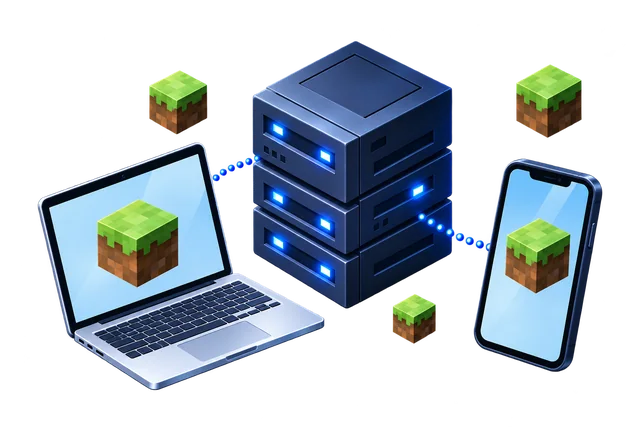
A crossplay server is a Java server, usually Paper, with two plugins installed. Geyser translates between the Bedrock and Java network protocols, so Bedrock players can connect to a Java server. Floodgate lets these players log in with their Microsoft account, without owning Java Edition. Java players join on the normal Java port and Bedrock players on the Bedrock port, and everyone plays in the same world.
All three hosts offer crossplay plans with Geyser and Floodgate already set up, so all you need to do is choose the right plan. You do not have to configure any plugins yourself.
Best Minecraft crossplay server plans
The best Minecraft crossplay server plan for ten players has 8 GB of RAM, with Geyser and Floodgate already installed.
For 6 to 10 players with a few plugins on Java and Bedrock in Poland (Warsaw), the finder recommends Lodehost Starter Crossplay: 8 GB, AMD Ryzen 9 7950X, DDR5, for €17.95 a month when you pay monthly. As a new customer you pay €7.18 for the first month, 60% off. The best plans at the other two hosts are Astroworld Starter Crossplay Performance at €17.95 and CheapestMinecraftHosting Plus at €6.40.
| If you want | Host and plan | Memory | Processor | Location | Per month |
|---|---|---|---|---|---|
| Lowest price | CheapestMinecraftHosting Plus | 8 GB | AMD Ryzen 9 7950X, DDR5 | Poland (Warsaw) | €6.40 |
| Balanced | Lodehost Starter Crossplay | 8 GB | AMD Ryzen 9 7950X, DDR5 | Poland (Warsaw) | €17.95 (€15.95 on 24 mo) New customers: €7.18 for the first month, 60% off |
| More performance | Astroworld Starter Crossplay Performance | 8 GB | AMD Ryzen 9 7950X, DDR5 | Poland (Warsaw) | €17.95 (€15.95 on 24 mo) New customers: €7.18 a month for the first 3 months, 60% off |
At Astroworld Hosting and Lodehost, crossplay plans cost a little more than the same size on Java: Lodehost Starter Crossplay costs €14.95, compared to €12.95 for the Java plan. Cheapest Minecraft Hosting charges the same price for every edition, which makes CheapestMinecraftHosting Plus at €6.40 the cheapest 8 GB crossplay server on our list.
Limitations of Minecraft crossplay with Geyser
Minecraft crossplay with Geyser works well for most groups, but it has four limits you should know before you choose it:
- Mods. Bedrock players cannot see Java mods. Crossplay works best with Paper and plugins.
- Small differences in the game. Combat timing, redstone and some block behaviour differ slightly between the editions, and a few Java items do not exist on Bedrock. Most players never notice.
- Consoles. Xbox, PlayStation and Switch cannot add a custom server from the menu. There are well-known workarounds, and the hosts' guides explain them.
- Versions. Geyser is updated quickly for new Bedrock versions, but on the day a new version comes out it can take a little while before the newest Bedrock client can join.
How to join a crossplay Minecraft server on Bedrock
Bedrock players on Windows, phones and tablets join a crossplay Minecraft server from the Servers tab: choose Add Server and enter the same address as the Java players, with the Bedrock port. Java players join the normal way, with the server address. On a hosted server that port is shown in your panel; it is not always the default 19132, because many servers share one machine. Players on Xbox, PlayStation and Switch need a workaround, which our page on Bedrock server hosting explains.
Once they are in, Bedrock players show up with their own skins, and Floodgate puts a dot in front of their names by default, so a Java player called Alex and a Bedrock player called Alex never clash. Players who own both editions can link their accounts through Geyser, so they keep the same inventory and progress on Java and on Bedrock.